How to send payments through Wise Step by Step.
Please Follow The Current Steps To Send Payments To A.GG (Arab Good Games) The Cheapest Dragon Ball Legends Store For Mobile.
If You Don't Have Wise (AKA Transferwise) Account Then You Can Easily Create New One And Verify It Through This Link, (Also You Will Get 1 Fee Free Payment For First Time)
After Verifying Your Account, You Can EnterThis LinkTo Create A Transfer Payment. From Your Method To Our Wise Account. Keep In Mind one thing
Step1: Sender
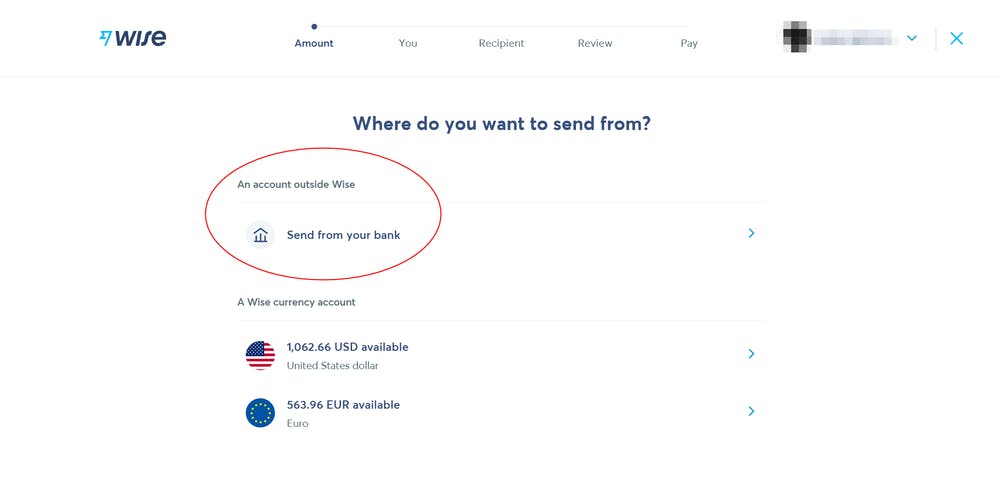
If you don't have Wise Balance and want to send payment from your Debit Card/ Local Bank Account, then chose the option (Send From Your Bank) or any other option available that shows here in the category of “An account outside Wise”.
Step2: Payment Amount
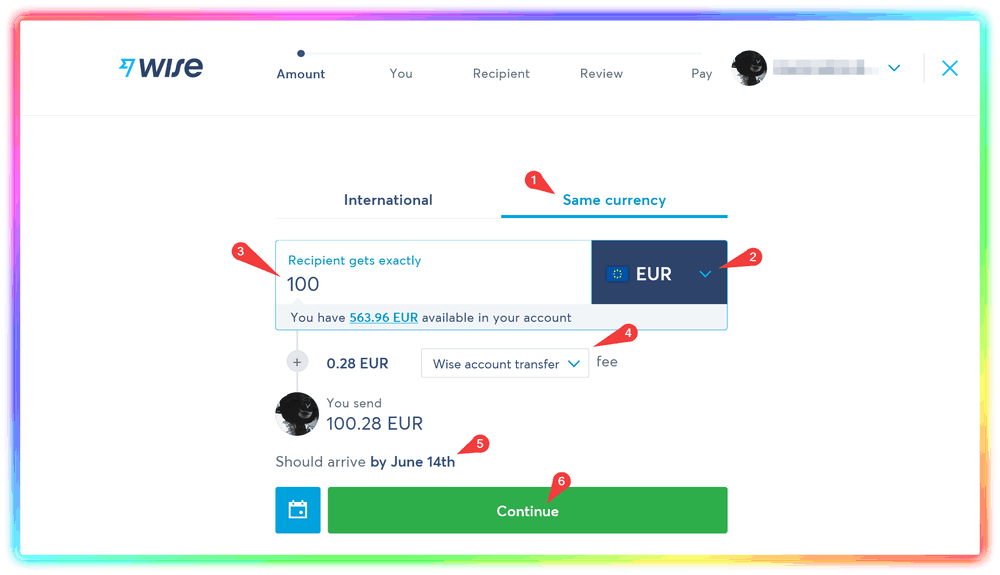
- Chose “Same Currency” Tab.
- Select Global Currency “EUR or USD”
- Enter the amount of money you want to send.
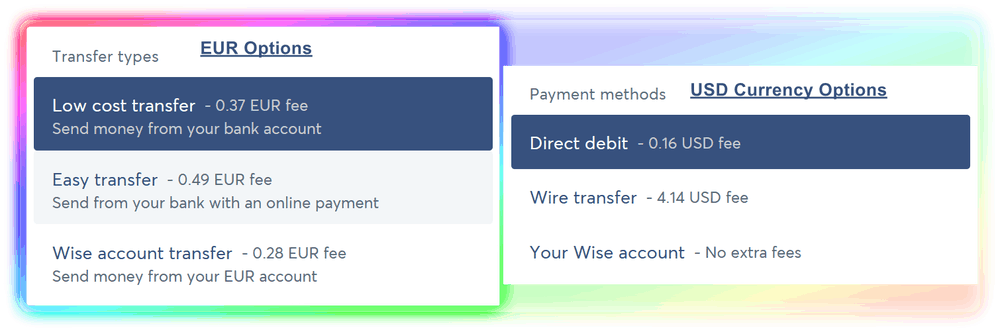
- Select the payment method you would like to pay with, each PM have it own Processing Fees. Here's the list:
Personally, I suggest to use Online Payment / Direct Debit since these two methods has Lower Fees and FAST deliver. For Direct Debit, it takes seconds to deliver the payment, just like PayPal. - Check the “Should arrive” date to make sure if the payment will deliver fast. (If you use Direct Payments like Debit Card, don't worry it will be Lower Time at the end because we're inside WISE not a local bank)
- Click on Continue Button.
Step3: Receiver
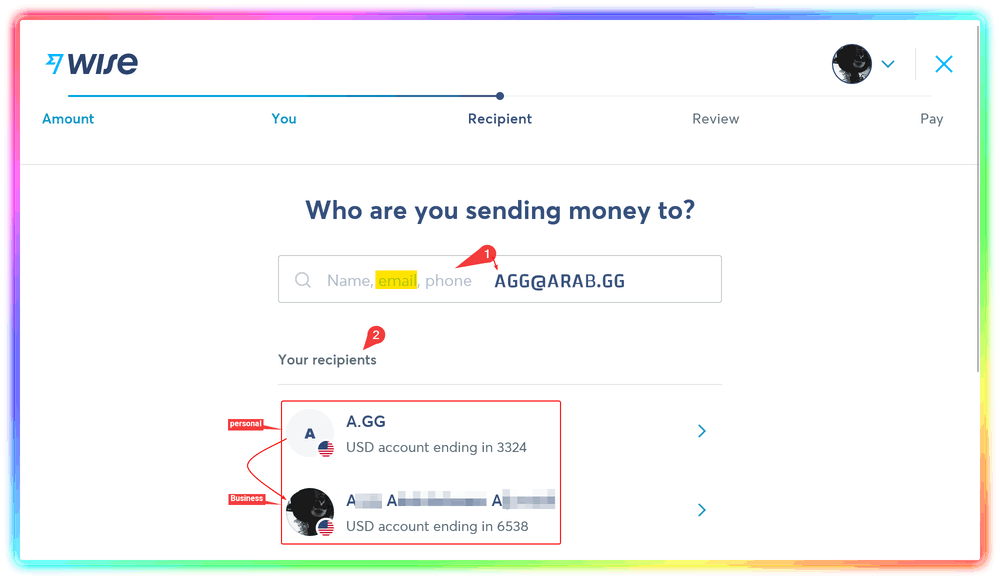
- Enter our email in search ([email protected]) or phone number (+12029009393).
- You will see one of two options, Our Business Account (A.GG) or my personal account (A*** A********** A********), chose one of them and click to continue.
Step4: Review
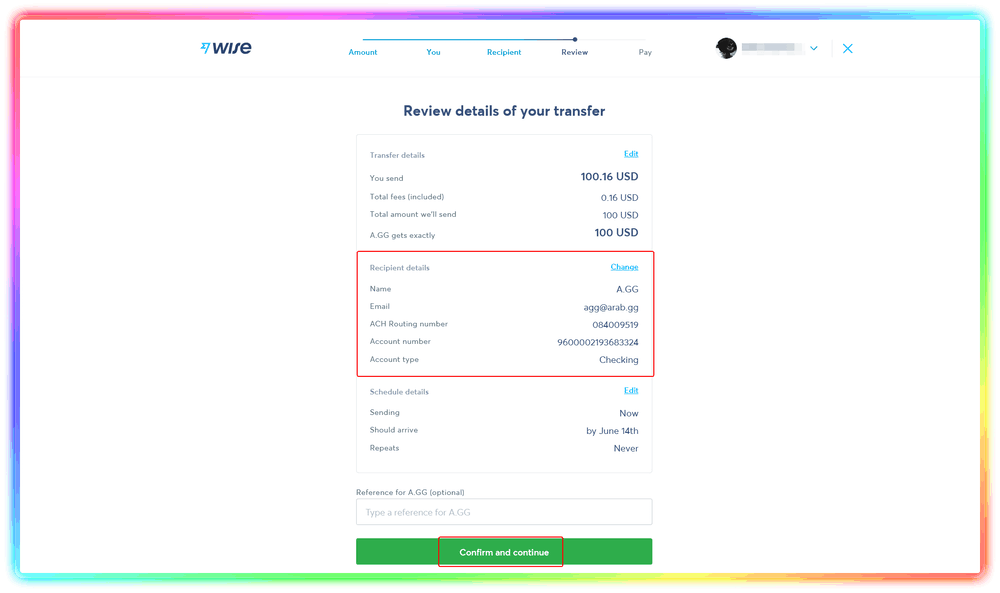
Since everything is correct, click on Confirm and Continue
Step5: Confirm Payment
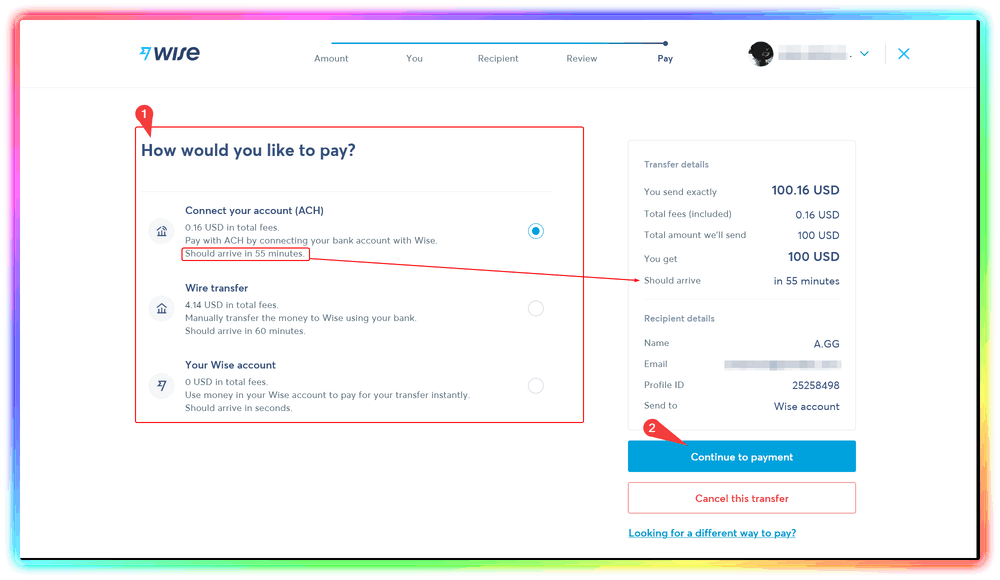
- Chose one of the Available methods to pay, keep in mind to select the faster and cheapest way.
- Click on Continue to payment to finish the transaction.
Congratulations; After complete the payment and paid the required amount, you're successfully paid us through wise, take the transaction ID that started with # and contact us to track the payment If You Didn't Verify Your Account, The Payment Process Will Take ±24h Longer Than Usual Until The Verification Process Completed.
Make Your Business Online By The Best No—Code & No—Plugin Solution In The Market.
30 Day Money-Back Guarantee
Say goodbye to your low online sales rate!
How Much Time It Will Take If I Paid With Bank Card ?
Less than 5 minutes, if you paid with debit/credit bank card the payment will be processed in seconds, no need to wait like regular banks process.
Can I Use PayPal Instead Of Wise ?
Yes, but not recommanded and you will pay %20 extra cost which is required by our payment holder guardian “Sellix” to sell digital goods, when we suggest to use Wise cheaper than PayPal, For example if you paid $100 in wise you probably will pay $127 in PayPal.